
In This Article
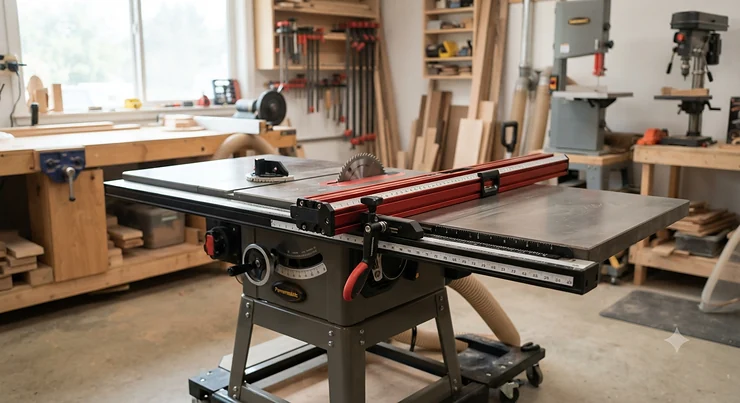
Here’s a confession every woodworker eventually makes, usually through gritted teeth over a ruined sheet of plywood: the fence that came with your table saw was never built for real work. It was built to a price point. A precision fence upgrade for accurate rip cuts isn’t a luxury add-on — it’s the single modification that turns a saw you fight with into a saw you trust. Once you’ve chased a cut that drifted an eighth of an inch over four feet, you understand exactly why this matters.
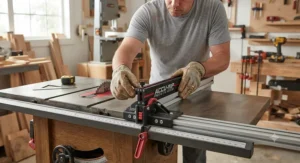
Stock fences flex. They creep out of parallel. They rely on a single lock point that lets the far end wander half a degree, which sounds trivial until you’re gluing up a cabinet carcass and every door front is a whisper out of square. A proper rip fence upgrade solves that at the source: rigid rails, dual-point locking, and — on the better systems — a digital or vernier scale accurate enough that “measure twice, cut once” starts to feel like overkill.
This guide breaks down seven real, currently available fence systems spanning true budget rescues to shop-grade precision tools, based on published specifications and aggregated owner feedback rather than marketing copy. According to the Wikipedia entry on table saws, cabinet-style saws are commonly paired with extended fence rails that stretch ripping capacity to 50 inches or more — which tells you how central the fence itself is to what the saw can actually do. We’ll walk through each product’s real-world strengths, where it falls short, and which shop situation it’s genuinely built for, so you can stop guessing and start cutting straight.
Quick Comparison Table
| Product | Rip Capacity | Best For | Price Range |
|---|---|---|---|
| Shop Fox W1716 Aluma-Classic | Fits 27″ saws | Budget rescue on older saws | Under $200 |
| Delta 36-T30T3 T3 Fence System | 30″ right / 13.5″ left | Budget-mid Delta upgrades | $200-$300 range |
| Wixey WR700 Digital Readout Kit | Retrofits existing fence | Adding scale accuracy cheaply | Under $150 |
| Biesemeyer-Style T-Square Fence | Up to 52″ (model-dependent) | Industry-standard rigidity | $400-$700 range |
| Vega PRO 50 (U50) | 50″ right / 8″ left | Large panel and sheet work | $500-$700 range |
| Wixey Professional Fence System | 36″ (72″ rail) | Digital cursor/scale accuracy | $500-$650 range |
| INCRA TS-LS Fence System | 32″ or 52″ (model-dependent) | Cabinetmaking tolerances | $700-$1,000+ range |
Looking across the table, a pattern jumps out fast: capacity and digital precision rarely arrive together at a budget price. The Shop Fox W1716 and Delta 36-T30T3 solve the “my fence flops around” problem cheaply, but neither gives you a repeatable scale reading — you’re still eyeballing a cursor against a decal. The Wixey WR700, on the other hand, is the clever outlier here: it doesn’t replace your fence at all, it just bolts digital scale accuracy onto whatever rigid fence you already own, which is why it punches so far above its price. For genuine cabinetmaking tolerances, the INCRA TS-LS and Wixey Professional Fence System are really the only two systems on this list engineered specifically for that job.
💬 Just one click — help others make better buying decisions too!😊
Top 7 Precision Fence Upgrades: Expert Analysis
Table saw fences aren’t glamorous. Nobody hangs one on a shop wall like a trophy. But spend a weekend fighting a fence that won’t hold its setting, and you’ll start to appreciate why woodworkers get almost religious about this particular upgrade. Here are seven real systems worth your consideration, run from true budget fixes through the kind of precision that cabinetmakers actually need.
1. Shop Fox W1716 Aluma-Classic — budget rescue for older 27″ saws
The Shop Fox W1716 Aluma-Classic exists to solve one specific, very common problem: you own an older or oddball 27-inch table saw, and nobody makes a fancy digital fence that bolts onto it. This fence is aluminum-bodied, straightforward, and designed to fit standard 27-inch saws — including vintage models that trip up pickier aftermarket systems. Don’t expect a scale readout or micro-adjust wheel here; what you’re buying is basic rigidity and a fence face that actually stays parallel, which is more than a lot of factory-original fences from the 1990s can promise. For hobbyists reviving a garage-sale saw, that alone is transformative — the difference between “close enough” and “actually usable” often comes down to exactly this kind of unglamorous upgrade. Reviewers consistently frame it as a solid, no-frills option rather than a precision instrument, and that’s a fair characterization: it’s a stability fix first, an accuracy fix second. Anyone doing furniture-grade joinery will eventually outgrow it, but as a first step off a wobbly stock fence, it earns its keep.
Pros:
- ✅ Fits older/oddball 27″ saws other fences skip
- ✅ Genuinely reasonably priced for a full fence swap
- ✅ Simple aluminum build with no fussy calibration routine
Cons:
- ❌ No digital or vernier scale accuracy features
- ❌ Limited to 27″ saw platforms only
At under $200, the value case is simple: if your saw’s stock fence won’t hold a setting through a full rip, this is the cheapest real fix on the market.

2. Delta 36-T30T3 T3 Fence System — accurate to 1/64″ on Delta saws
The Delta 36-T30T3 T3 Fence System is what a lot of Delta owners reach for first, and the spec sheet explains why: a one-piece square tubular rail and a three-point locking system that keeps the fence genuinely parallel to the blade rather than just “close.” Delta rates this system accurate to within 1/64 of an inch, which sounds modest next to a digital fence’s thousandths-of-an-inch claims, but in practice it’s tight enough for cabinet face frames, drawer parts, and most furniture joinery. What most buyers overlook about this fence is the rip range asymmetry — 30 inches to the right of the blade but only 13.5 inches to the left — which matters if your workflow involves a lot of left-side ripping on sheet goods. Aggregated owner feedback highlights the smooth-gliding rail and quick lock-unlock cycle as standout everyday conveniences; the recurring complaint is that left-side capacity ceiling, which pushes some cabinet builders toward a longer-rail alternative. For a Delta saw specifically, this remains one of the smartest mid-tier upgrades available, and it slots neatly below four-figure systems while still delivering repeatable results.
Pros:
- ✅ Rated accurate to within 1/64″ — tight for the price
- ✅ Three-point locking keeps fence parallel under pressure
- ✅ Smooth-gliding tubular rail speeds up repositioning
Cons:
- ❌ Left-side rip capacity capped at 13.5″
- ❌ Designed primarily around Delta saw platforms
In the $200-$300 range, this is a strong mid-tier value pick — you’re paying for real locking rigidity, not just a fresh coat of paint on a flimsy rail.
3. Wixey WR700 Digital Readout Kit — turns any fence into a scale-accurate one
Here’s the sleeper pick on this list. The Wixey WR700 Digital Readout Kit isn’t a fence at all — it’s a digital scale retrofit that bolts onto a fence you already own, and it’s compatible with widely used systems including Biesemeyer, Powermatic, and Delta Unisaw fences. The idea is refreshingly simple: instead of squinting at a cursor line against a printed decal (and second-guessing yourself every time), you get a magnetic digital readout that slides along the rail and displays your fence position in inches, fractions, or millimeters. This is the cursor/scale accuracy fix in its purest, cheapest form — you keep your existing rigid fence body and just upgrade the part that was actually causing your measurement errors. Based on the spec comparison with full digital fence systems costing three to four times as much, the WR700 delivers a surprisingly similar day-to-day benefit for a fraction of the investment, provided your existing fence is already mechanically sound. The honest caveat: this kit fixes reading accuracy, not fence rigidity — if your rail flexes or your lock points are worn, a crisp digital number won’t save you from a physically inaccurate cut.
Pros:
- ✅ Retrofits Biesemeyer, Powermatic, Delta Unisaw fences
- ✅ Displays inches, fractions, and millimeters on demand
- ✅ Dramatically cheaper than a full digital fence swap
Cons:
- ❌ Doesn’t fix mechanical flex in a worn fence
- ❌ Requires an already-rigid base fence to be worthwhile
Priced under $150, this is arguably the best dollar-for-dollar scale accuracy upgrade on the entire list — assuming your current fence body has good bones.
4. Biesemeyer-Style T-Square Fence — the industry benchmark for rigidity
The Biesemeyer-Style T-Square Fence (available through Delta as the 78-919BT2) is the design that essentially defined what a “good” aftermarket fence looks like. Its T-square front-locking mechanism clamps at a single point up front, and the geometry of the head assembly transfers that clamping force down the length of the fence body, resisting the twist and deflection that plague simpler two-point fences. Aggregated shop reviews and long-running forum discussions treat this style as the de facto standard other fences get measured against — reported field accuracy commonly lands around four-thousandths of an inch over a long rip, a figure that’s held up for decades of cabinet shop use. What most buyers overlook is that this rigidity advantage really shows up on long, wide rips — ripping a full sheet of plywood down its length is exactly where lesser fences start to twist and bind. It’s a purely mechanical fence with no digital scale, so pair it with something like the Wixey WR700 above if cursor precision matters to you as much as raw stability does. For cabinet-scale work where a fence needs to survive years of daily clamping and unclamping without loosening up, this remains a genuinely smart investment.
Pros:
- ✅ Single-point T-square lock resists twist on long rips
- ✅ Decades of proven use in professional cabinet shops
- ✅ Steel construction holds calibration over years of use
Cons:
- ❌ No built-in digital or fine-vernier scale
- ❌ Heavier and more involved to install than budget fences
Typically landing in the $400-$700 range, this is the pick for buyers who value proven mechanical rigidity over flashy readouts.
5. Vega PRO 50 (U50) — built for sheet goods and big panels
The Vega PRO 50 (U50) is aimed squarely at woodworkers who regularly wrestle full sheets of plywood or MDF, offering 50 inches of rip capacity to the right of the blade and 8 inches to the left. Steel fence bars support a full micro-adjustment mechanism, and jacking plates let you level the fence surface independently — a detail that matters more than it sounds like on saws with slightly uneven tabletops. Here’s what the spec sheet won’t tell you, but aggregated owner reports do: this fence is genuinely built for larger projects, and reviewers note it can feel like overkill on a shop that mostly cuts small parts. Installation is a one-person job, but it’s not a fast one; buyers unfamiliar with the process, or working with limited dexterity, should budget real time for the setup. If your work regularly involves breaking down full sheets — kitchen cabinet carcasses, built-ins, shop furniture — the extended right-side capacity and micro-adjust precision genuinely earn their keep. If you mostly rip narrow face-frame stock, you’ll likely never use half of what this fence offers.
Pros:
- ✅ 50″ right-side capacity handles full sheet goods
- ✅ Micro-adjust mechanism enables fine positioning
- ✅ Jacking plates level the fence independent of the table
Cons:
- ❌ Time-consuming installation for a solo builder
- ❌ Genuinely oversized for small-project hobby shops
In the $500-$700 range, this is the panel-cutter’s fence — a smart investment if sheet goods are a regular part of your workflow, less so if they aren’t.
6. Wixey Professional Table Saw Fence System — digital cursor accuracy, factory-fitted
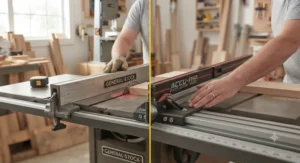
If the WR700 is the budget path to digital scale accuracy, the Wixey Professional Table Saw Fence System is the full factory-built version of that same idea. It ships as a complete fence — steel and aluminum construction, a 72-inch rail arriving in two sections, and a drilling jig to keep installation straightforward — built around a backlit digital display that reads in inches, fractions, or millimeters. Wixey’s published spec claims ±0.002 inches of accuracy per foot, and notably, the calibration holds even when you power the unit down, which eliminates the “did I bump it” anxiety that plagues cheaper digital add-ons. Reviewers consistently point to the micro-adjust wheels as the standout everyday feature — you can fine-tune fence position in tiny increments without wrestling the whole fence body, which is exactly the kind of cursor/scale accuracy that separates “close” from “correct” on repeat cuts. Aggregated feedback frames this as an excellent upgrade specifically for woodworkers who value repeatability across many cuts of the same width, which is the daily reality of batch-producing cabinet parts or drawer boxes. It’s priced like a serious tool investment, not an impulse buy, and it should be treated that way.
Pros:
- ✅ Backlit digital display in inches, fractions, or millimeters
- ✅ ±0.002″ per foot accuracy holds through power cycles
- ✅ Micro-adjust wheels enable effortless fine-tuning
Cons:
- ❌ Premium price relative to purely mechanical fences
- ❌ Two-section 72″ rail adds an extra alignment step
Typically running $500-$650, this is the pick for woodworkers who want factory-integrated digital precision without piecing together a retrofit kit.
7. INCRA TS-LS Table Saw Fence System — the cabinetmaking tolerances benchmark
For woodworkers who genuinely need cabinetmaking tolerances — not “pretty close,” but repeatable, joint-fitting precision — the INCRA TS-LS Table Saw Fence System is widely regarded as the reference point. Available in 32-inch and 52-inch capacity versions, it uses a low-friction glide system where the fence skims above the table without ever touching it, combined with a carriage lock that applies pressure across the sliding carriage rather than at a single pinch point. A magnetic ruler allows quick zeroing or rescaling whenever you swap in a sacrificial fence face, a small feature that owners repeatedly single out as disproportionately useful. This is a high precision rip fence for fine woodworking in the truest sense: it earned recognition in independent rip-fence testing for its alignment accuracy and resistance to deflection, a distinction shared by very few competing systems, and long-term owners writing detailed hands-on impressions of the system describe it as a genuine upgrade even on modest contractor-grade saws. Based on aggregated long-term owner reports, the learning curve is real — some describe a “two-step” locking process that takes a few sessions to get used to — but once dialed in, users consistently describe the fence as transformative, turning a modest contractor saw into something that performs like a dedicated precision machine. If tight tolerance fence system performance is genuinely your priority, particularly for joinery-heavy cabinetmaking, this is the system built specifically for that job, and its price reflects that specialization.
Pros:
- ✅ Independent testing praised its blade alignment accuracy
- ✅ Magnetic ruler enables fast, repeatable rezeroing
- ✅ Frictionless glide with no fence-to-table contact
Cons:
- ❌ Two-step locking process has a real learning curve
- ❌ Premium pricing puts it beyond casual hobby budgets
At $700 and up depending on capacity, this is a “buy once” investment for anyone whose work genuinely lives or dies on tight tolerances.
Setup & Calibration: Your First 30 Days With a New Fence
Buying the right fence is half the job — the other half is installing it correctly, and this is where a lot of woodworkers quietly sabotage their own upgrade. Start by aligning your blade to the miter slot before you touch the fence at all; every fence calibration assumes the blade is your reference point, so calibrating a fence to a crooked blade just bakes the error in permanently. A dial indicator is worth the twenty-dollar investment here — eyeballing parallel with a tape measure is exactly the habit you’re trying to break.
Once the blade is trued up, mount the fence rails and check square-to-table before final tightening; a rail that’s twisted even slightly will telegraph into every cut you make for years. For fences with dual locking points (T-square and INCRA-style designs alike), lock the front first, then verify the rear hasn’t crept before fully engaging it — this is the single most common source of “why is my new fence still drifting” complaints in owner forums. Give yourself a full weekend for this, not an evening; rushing calibration on a $500 fence is how you end up with $500 worth of the same problem you just paid to fix.
In the first 30 days, re-check your zero point weekly. New hardware settles, bolts creep slightly under vibration, and a fence that reads dead-on the day you install it can drift a few thousandths within the first month of use. After that initial settling period, most systems — especially the rigid T-square and digital designs on this list — hold their calibration for months at a time with only occasional spot-checks.
Real Shops, Real Fences: Case Studies by Project Type
The weekend cabinet builder. Picture someone converting a garage into a small shop, building kitchen cabinets on evenings and weekends, working mostly with 4×8 sheets of plywood and needing consistent, repeatable rip widths for dozens of identical cabinet sides. This buyer profile is exactly who the Vega PRO 50 was designed for — the 50-inch right-side capacity handles full sheets without repositioning mid-cut, and the micro-adjust mechanism means setting up “cut number 40” is just as accurate as cut number one.
The furniture maker chasing tight joinery. Now picture a hobbyist building shaker-style furniture with hand-cut dovetails and tight mortise-and-tenon joints, where a rip that’s off by a sixty-fourth of an inch means a joint that won’t seat cleanly. This is squarely INCRA territory — the INCRA TS-LS system’s magnetic ruler and low-friction glide exist precisely for this kind of joinery-first workflow, where “close enough” simply isn’t.
The budget-conscious hobbyist reviving an old saw. Finally, imagine someone who picked up a decades-old contractor saw at an estate sale for a fraction of retail, with a stock fence that wobbles if you look at it wrong. Rather than sinking hundreds into a premium digital system on an otherwise modest saw, the smarter move is the Shop Fox W1716 for basic rigidity, optionally paired later with a Wixey WR700 once the budget allows for scale accuracy on top of a now-stable fence body.
✨ Don’t Miss These Exclusive Deals!
🔍 Take your table saw setup to the next level with these carefully selected fence upgrades. Click on any highlighted product to check current pricing and availability — these systems will help you cut with the accuracy your projects deserve.
What Is a Precision Fence Upgrade?
A precision fence upgrade for accurate rip cuts is an aftermarket rip fence system — mechanical or digital — installed in place of a table saw’s factory fence to eliminate flex, misalignment, and measurement guesswork, delivering tighter, more repeatable rip widths than stock hardware typically allows.
Stock fences on most consumer table saws are built to a manufacturing cost target, not a tolerance target. They usually rely on a single lock point and a printed measurement decal read against a plastic cursor — a setup that’s fine for rough carpentry but falls apart under the demands of fine woodworking or cabinetmaking, where consistent, joint-fitting cut widths are the whole game.
How to Choose a Precision Fence Upgrade for Your Saw
- Match rail length to your saw’s table depth first. A fence system engineered for a 27-inch benchtop saw won’t necessarily bolt cleanly onto a 30-inch cabinet saw platform — check compatibility before anything else.
- Decide how much rip capacity you actually need. If you regularly break down full sheet goods, prioritize right-side capacity like the Vega PRO 50 offers; if you mostly work narrow stock, a shorter-capacity system saves both money and bench space.
- Weigh mechanical rigidity against digital convenience. A T-square design like the Biesemeyer-Style Fence wins on raw structural stability; a digital system like the Wixey Professional Fence System wins on repeatable, glanceable accuracy.
- Consider a retrofit before a full replacement. If your existing fence body is mechanically sound but hard to read accurately, a kit like the Wixey WR700 can solve cursor/scale accuracy cheaply without a full fence swap.
- Factor in your actual tolerance needs. Cabinetmaking tolerances for tight-fitting joinery genuinely call for a system like the INCRA TS-LS; general shop work rarely needs that level of investment.
- Budget for calibration time, not just purchase price. Every system on this list performs best only after a proper initial setup — rushing this step undermines even the most precise hardware.
- Check locking-point count and geometry. Dual-point and T-square designs consistently resist deflection better than simple two-bolt fences, which matters most on long rips.
Precision Fence Upgrades vs Stock Table Saw Fences
The gap between a stock fence and a genuine precision fence upgrade for accurate rip cuts isn’t cosmetic — it’s structural. Stock fences typically use lightweight extrusion and a single locking point, which means the far end of the fence can creep out of parallel under lateral pressure from the workpiece, exactly the kind of drift that produces bowed rips on long boards. Aftermarket systems like the ones profiled above address this with heavier rail material, dual or T-square locking geometry, and — on digital models — a scale that eliminates cursor-reading error entirely.
| Factor | Stock Fence | Precision Upgrade |
|---|---|---|
| Locking points | Usually single-point | Dual-point or T-square |
| Typical accuracy | Often 1/16″ or worse over a rip | 1/64″ to ±0.002″/ft |
| Scale readout | Printed decal + cursor | Vernier or digital, model-dependent |
| Best For | Rough carpentry, light DIY | Cabinetmaking, fine furniture |
The table above makes the practical trade-off obvious: stock fences aren’t badly engineered so much as engineered for a different job. If your work has graduated from “good enough” to “needs to fit,” the upgrade path pays for itself the first time you skip re-cutting a part that came out a hair too wide.
Cabinetmaking Tolerances: Why Thousandths of an Inch Matter
Cabinetmaking tolerances sound abstract until you’re installing a run of face frames and discover one door opening is an eighth of an inch narrower than its neighbor. In cabinet work, small per-cut errors compound across dozens of identical parts — a fence that’s consistently off by a sixty-fourth of an inch doesn’t just affect one board, it shows up as a visible, cumulative misalignment across an entire kitchen’s worth of doors and drawers.
This is exactly why a fence accuracy upgrade for cabinetry pays dividends that a casual DIYer might never notice. A tight tolerance fence system like the INCRA TS-LS or the digitally-read Wixey Professional Fence System isn’t chasing a number for its own sake — it’s chasing repeatability, because a cabinet shop cutting forty identical drawer sides needs cut number forty to match cut number one exactly, not just “close.” Reviewers who’ve made the jump from a stock fence to a tight-tolerance system consistently describe the same shift: less time spent hand-fitting parts that should have matched from the saw, and more confidence gluing up assemblies without test-fitting every joint first.
Features That Actually Matter (And Those That Don’t)
Not every fence feature marketed as “precision” actually moves the needle, so it’s worth separating genuine value from spec-sheet padding. Dual-point or T-square locking genuinely matters — it’s the single biggest factor in whether a fence holds parallel under real cutting pressure, and it’s worth prioritizing over almost any other feature on this list. Digital cursor/scale accuracy also matters more than it might seem; the difference between squinting at a decal and reading a crisp digital number compounds over hundreds of cuts, especially for repeat production work.
On the other hand, extreme rip capacity you’ll never use is mostly marketing. A 50-inch fence is fantastic if you regularly break down sheet goods, but for a hobbyist who mostly rips furniture-scale stock, that extra capacity just adds bulk and installation complexity without adding real accuracy. Similarly, flashy backlit displays are nice, but the underlying mechanical rigidity of the fence body matters far more than how the numbers are illuminated — a beautiful digital readout mounted on a flexible fence is still reading an inaccurate cut, just with more confidence.
Common Mistakes When Upgrading Your Rip Fence
The most common mistake isn’t choosing the wrong fence — it’s skipping blade-to-miter-slot alignment before installing it, which means even a perfectly calibrated fence is aligned to a crooked reference point. A close second is under-budgeting installation time; several of the fences profiled here, particularly the Vega PRO 50, are genuinely one-person jobs but not quick ones, and rushing the mounting process tends to bake small misalignments in permanently.
Another frequent misstep is buying more fence than the work actually calls for — a premium INCRA TS-LS system is wasted on someone who exclusively builds rough outdoor furniture, just as a bare-bones fence like the Shop Fox W1716 will frustrate a cabinetmaker chasing tight tolerances. Finally, plenty of buyers skip the “recheck weekly for the first month” habit, assuming a new fence calibrated once will stay perfect forever — in reality, new hardware settles, and that first-month drift is the most common cause of “my precise new fence isn’t accurate” complaints in owner forums.
Fence Alignment, Kickback & Shop Safety
A precise fence isn’t just about clean cuts — it’s a genuine safety feature. According to OSHA’s machine guarding guidance for table saws, guiding the workpiece parallel to the rip fence is a core practice for minimizing kickback risk, and a fence that drifts out of parallel mid-cut is exactly the condition that lets a workpiece bind against the blade.
OSHA’s woodworking machinery standard further specifies that circular saw fences must be constructed so they can be firmly secured to the table without shifting their alignment to the blade, a requirement every fence profiled in this guide is engineered to meet. Beyond regulatory language, the practical takeaway is simple: a fence that holds true reduces the pinch points that cause kickback in the first place. Pair any precision fence upgrade with a properly sized riving knife and push sticks, and recheck alignment periodically — the safety benefit of an accurate fence is only as good as its last calibration.
FAQ
❓ What's the difference between a mechanical and digital rip fence upgrade?
❓ Can I install a precision fence upgrade myself?
❓ Do precision fences fit any table saw?
❓ How often should I recalibrate a new fence?
❓ Is a digital scale worth the extra cost over a mechanical vernier?
Conclusion
A precision fence upgrade for accurate rip cuts isn’t about chasing a spec sheet number — it’s about eliminating the small, compounding errors that turn a promising project into a frustrating one. Whether that means a simple rigidity fix like the Shop Fox W1716, a digital retrofit like the Wixey WR700, or a full cabinetmaking-grade system like the INCRA TS-LS, the right choice depends entirely on what your actual work demands.
Budget-focused hobbyists reviving an older saw will get the most value from an affordable rigidity fix paired later with a scale-accuracy retrofit. Sheet-goods-heavy builders should lean toward extended-capacity systems like the Vega PRO 50. And anyone chasing genuine cabinetmaking tolerances — tight, repeatable, joint-fitting cuts — should treat a system like the INCRA TS-LS or Wixey Professional Fence System as a long-term shop investment rather than an impulse purchase.
Whatever you choose, remember that the fence is only half the equation — proper blade alignment and patient calibration are what actually unlock the accuracy you’re paying for. Get both right, and you’ll wonder how you ever tolerated the fence that came with your saw.
Recommended for You
- Universal Aftermarket Fence System for Benchtop Saws: 7 Picks (2026)
- Fence System for Hybrid Table Saws: 7 Upgrades for 2026
- T-Square Fence for Jobsite Table Saws: 7 Picks That Stay True (2026)
Disclaimer: This article contains affiliate links. As an Amazon Associate, I earn from qualifying purchases. If you purchase products through these links, we may earn a small commission at no additional cost to you.
✨ Found this helpful? Share it with your friends! 💬🤗
